← Back to projects
IA · UI/UX Design · Side project
ATHLEA – Vive coding process
Documenting my experience using different AI tools to vive-code an app for a real-life use case: training amateur football teams for their next matches.
Documenting my experience using different AI tools to vive-code an app for a real-life use case: training amateur football teams for their next matches.
This project is a work in progress. I'll be updating the content weekly.
Introduction
ATHLEA is a side project born from a real need: amateur football coaches have no accessible tools to manage training, track player performance, or prepare tactically for upcoming matches.
Amateur football teams lack accessible tools for managing training sessions and analyzing team performance.
No accessible, modern tools exist for amateur-level coaching and performance tracking. This negatively impacts their performance in competitions.
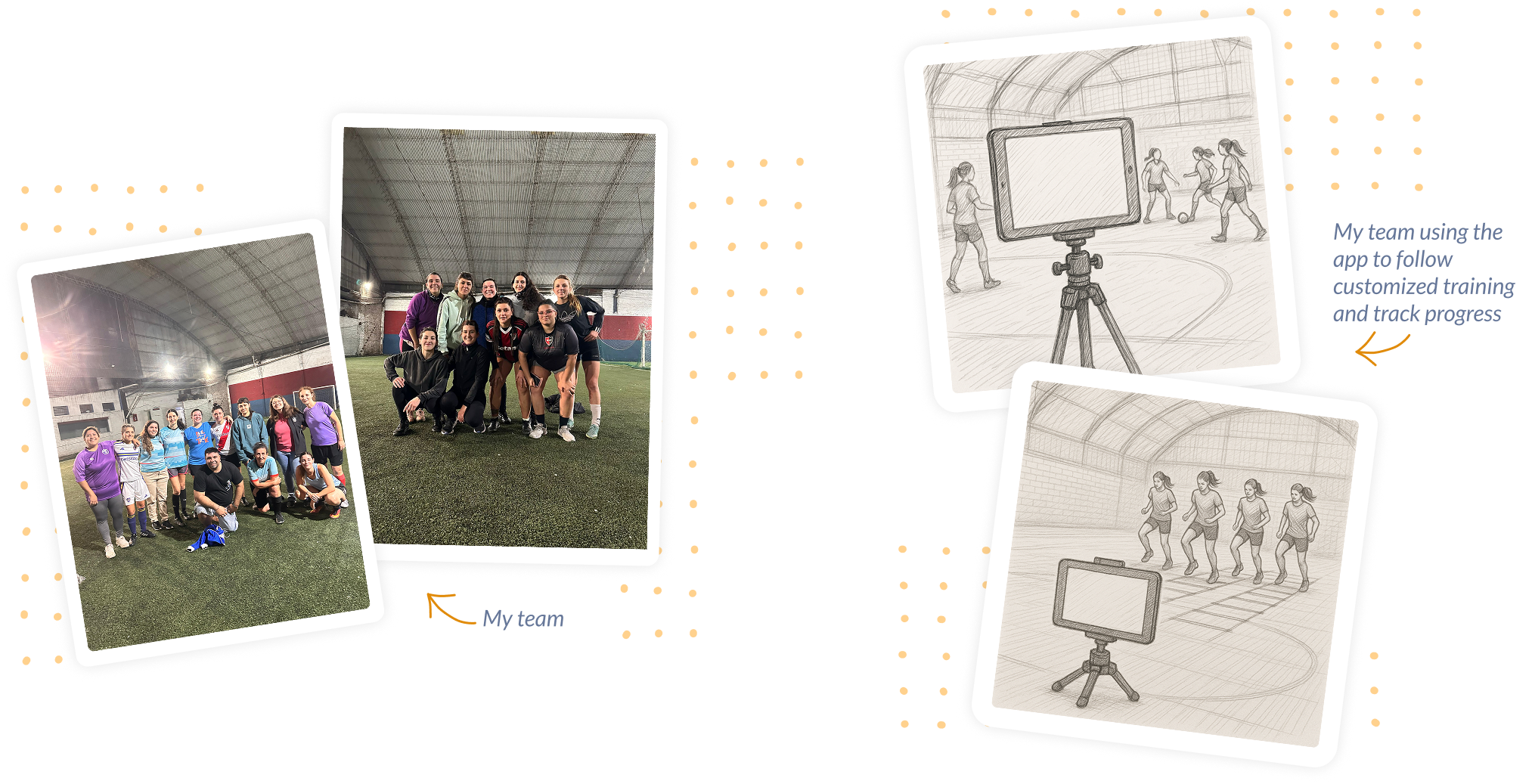
Female amateur teams that require fitness, endurance, speed, agility and strength training to improve their performance in matches.
Age: between 20 and 35 years old
Socioeconomic level: middle class women who have full time jobs, and play football to train and chill.
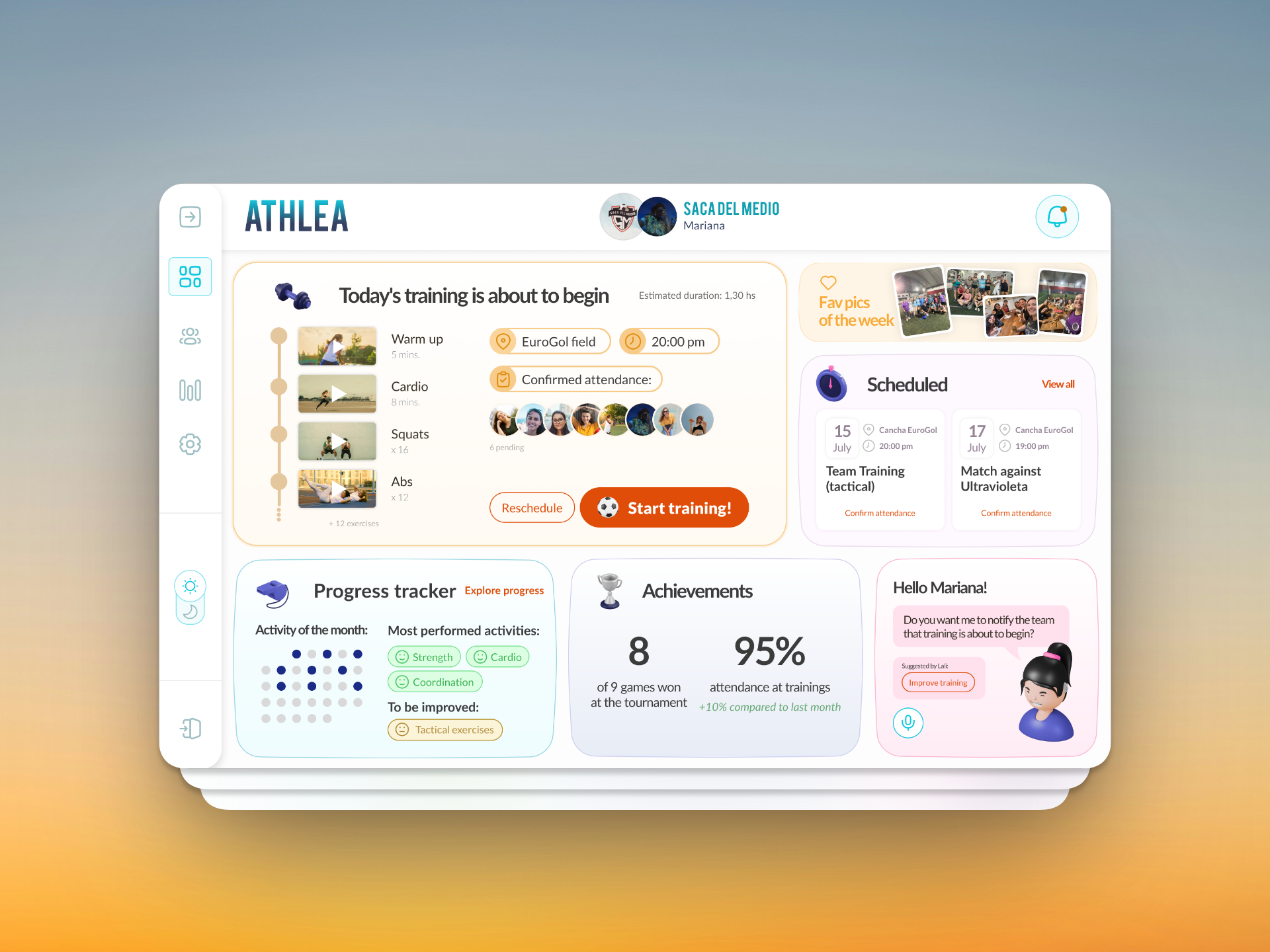
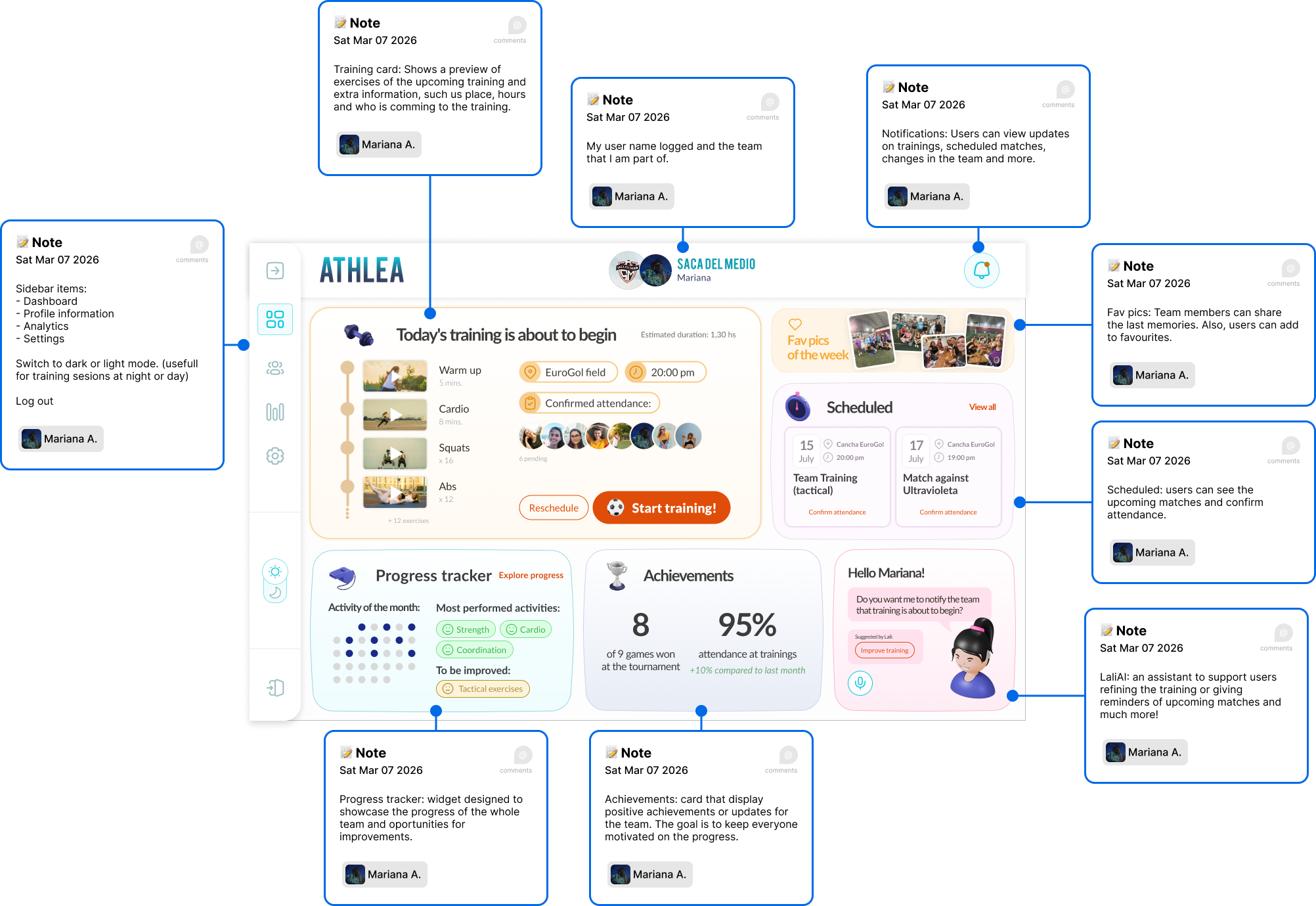
A dashboard designed to motivate and follow up the team. It visualizes key data, recognizes achievements and reinforces consistency. The goal is to train the team for their next matches. I'm planning to design it to be used in a Android Tablet because larger screens are more pratical in a court space.
Features
Visual design
Design
AI Process
Before jumping into any AI tool, I created a detailed prompt brief including the product vision, user context, core features, visual language, and desired interactions.
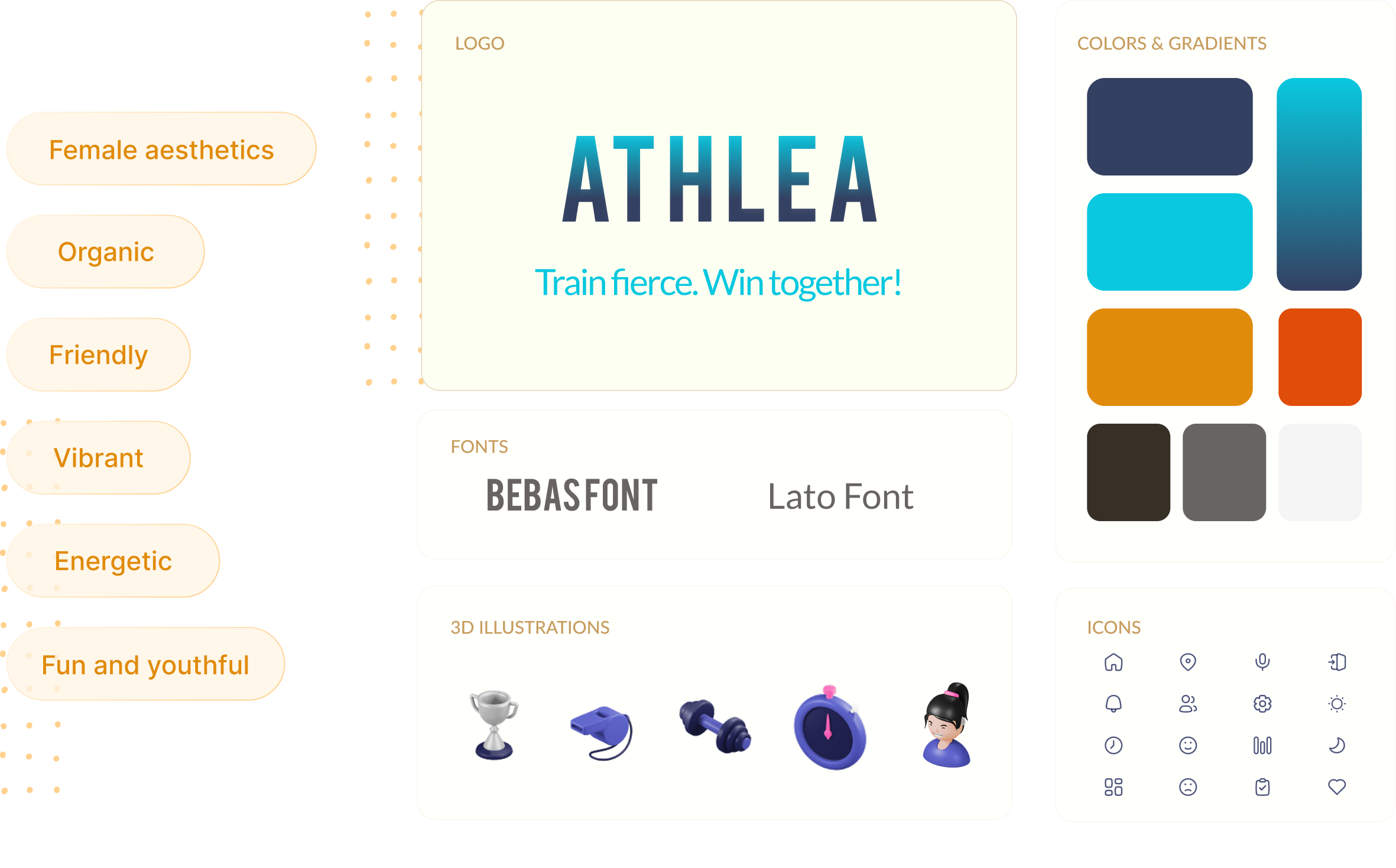
"Create a responsive Android tablet dashboard UI for a football team training management app called ATHLEA. The interface should look like a modern sports team dashboard, with rounded cards, soft shadows, and a friendly community-driven feel. Use a light UI theme with soft pastel accents (orange, purple, blue, green)...."
Tools used
Generated the initial dashboard layout within Figma. Fast for UI structure.
Strong at producing consistent visual styles from a prompt.
Most complete end-to-end generation. Best overall result.
The first iteration was using Make. I send to Figma Make the dashboard designed in Figma. Pasted the prompt created before, selected Claude Sonnet 4.6 for procesing and, after a few minutes, this was the result: See the result here ↗︎
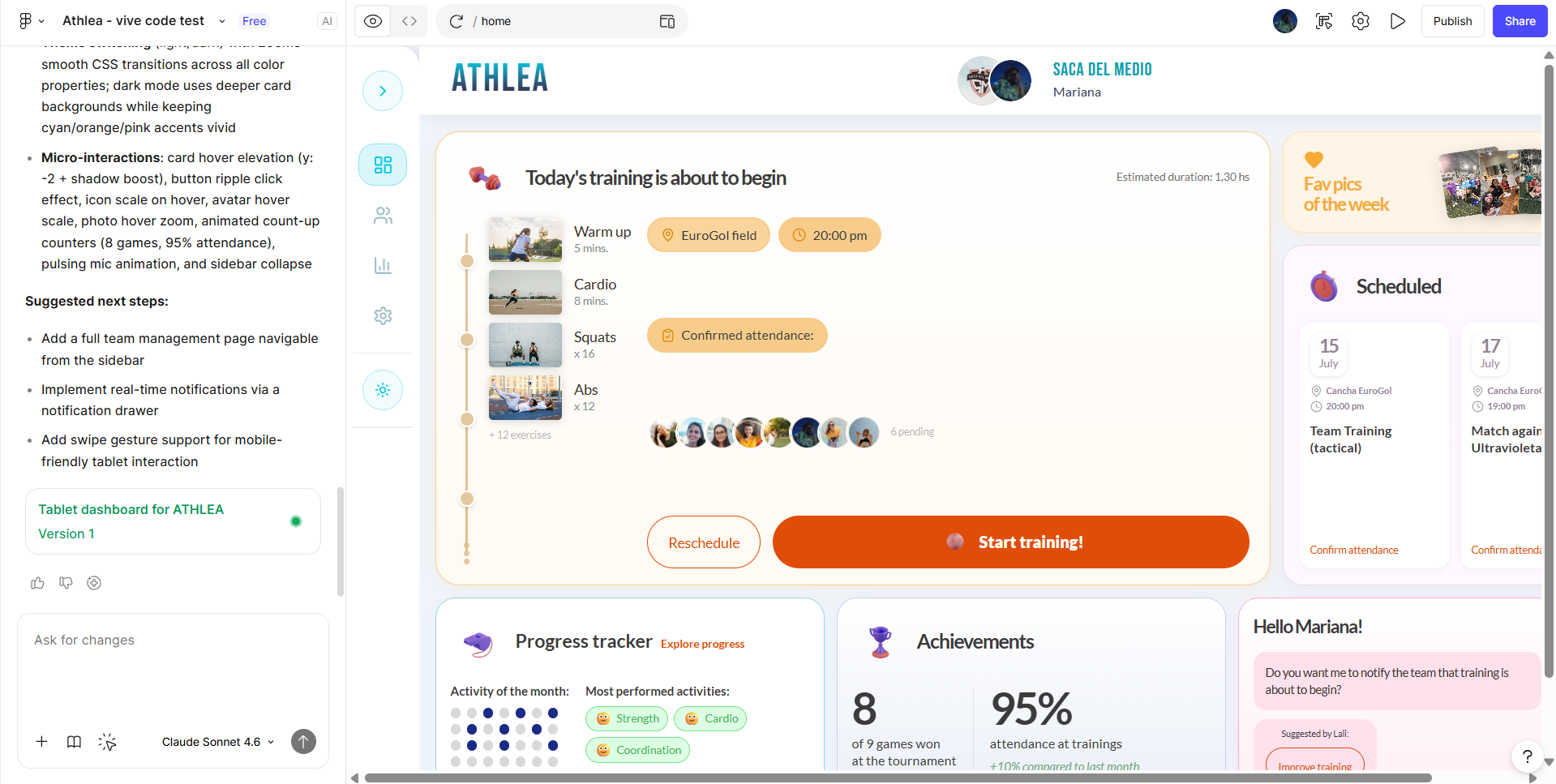
- Layout and cards are pretty similar to what I designed.
- Light and dark mode swith is great for the first iteration (probably I have to check accesibility).
- Hover states in cards, buttons and pics.
- Micro interaction on the speaker button.
- Top bar lenght is not equal to the design.
- Training card is not similar to what I designed.
- Make didnt replicate 100% my design but I think that with a few more iterations I can make it better.
- Not responsive.
Used the prompt created before and this was the first result:
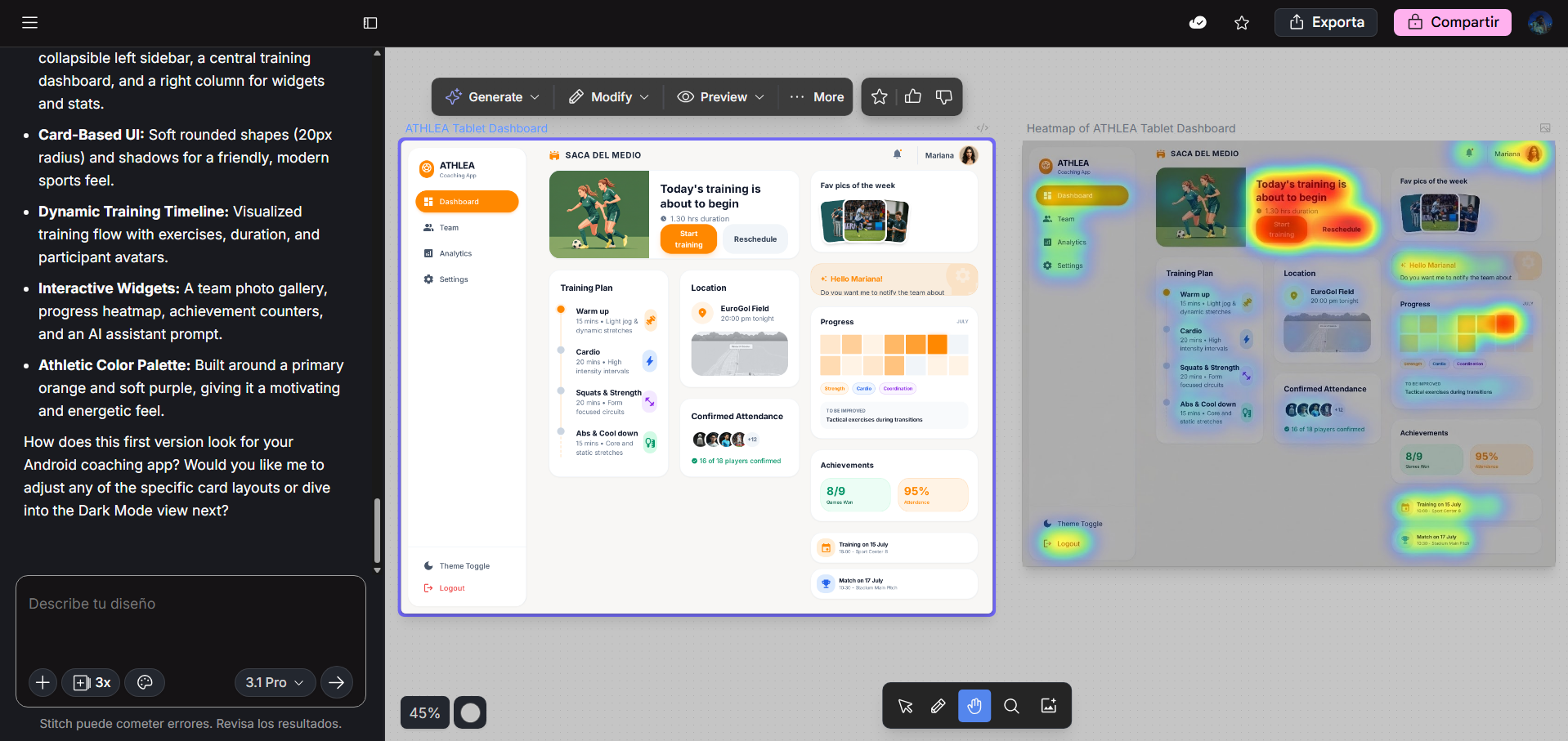
The result generated by Stitch is further from what I designed. To achieve a result similar to what I designed previously, I think that it would take me a lot more of iterations.
- I found usefull the feature to generate variants of the first design and export the back to Figma.
- I can make edits directly from the UI result.
- Predictive heat map.
- The IA didn't replicate my design.
- It took a lot of design freedom.
- No animations, hover states or microinteractions
Same process here: pasted the prompt and the result came after a few minutes. See the result here ↗︎
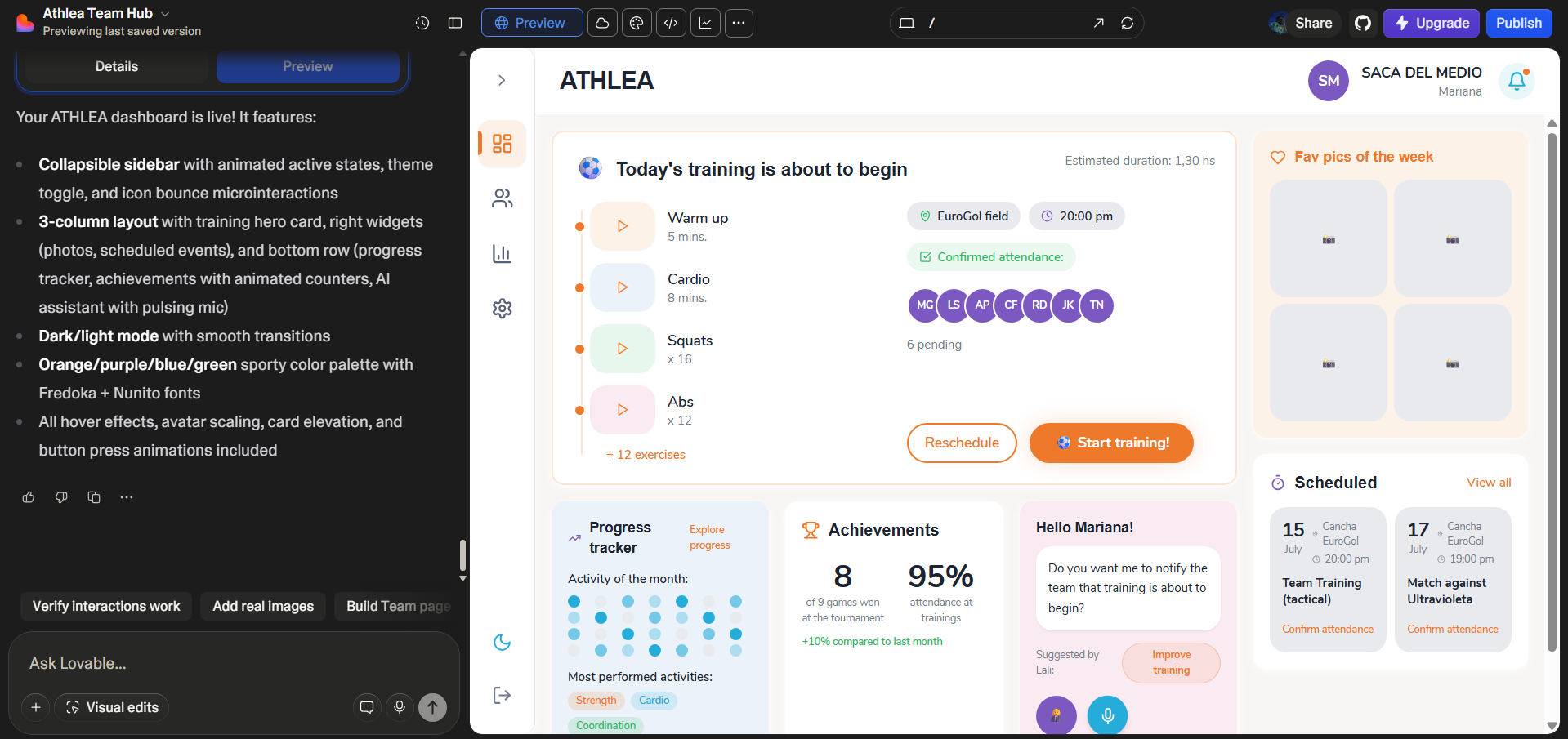
- Better responsive behavior.
- Switch to dark and light mode.
- I like that I can make Visual edits easily.
- More complex funcionalities for editing, export or publish the app.
- Wrong font use.
- Sidebar is broken.
- Cards design and layout are not close similar to what I designed.
- Icons and graphics from the design are missing.
What's next
Currently, I am testing several AI tools to create the UI and convert the design into a real app. The tools I am currently using are Figma Make, Stitch and Lovable. Planning to test Claude. After learning about the features of each AI, its advantages and limitations, I will choose the one I consider most suitable for my project and continue developing the app with a single AI tool.
My goal is to generate the UI of a complete user flow:
Login → Onboarding → Create a team or join a team → Dashboard → Start training → Finish training
I'll be posting about my experience of creating the same app using different AI platforms. The purpose of this project is to test what I can do with each AI, which one provides the best results, and what limitations do they have. If you have advice or tips that could be helpfull in this experiment, DM me! 🙌
The work is in process