← Back to projects
UX/UI Design · Case Study
CIPEO project
A suite to help the public sector track school supplies across a country.
🔒 For data privacy reasons, information on this project is limited.
A suite to help the public sector track school supplies across a country.
Context
CIPEO (Centre Informatique Pédagogique de l'Enseignement Obligatoire), in the canton of Vaud (Switzerland), is responsible for the computer equipment of all classrooms in the canton. Due to the digitalisation of educational tools, the number of devices was growing and so are their installation and maintenance activities.
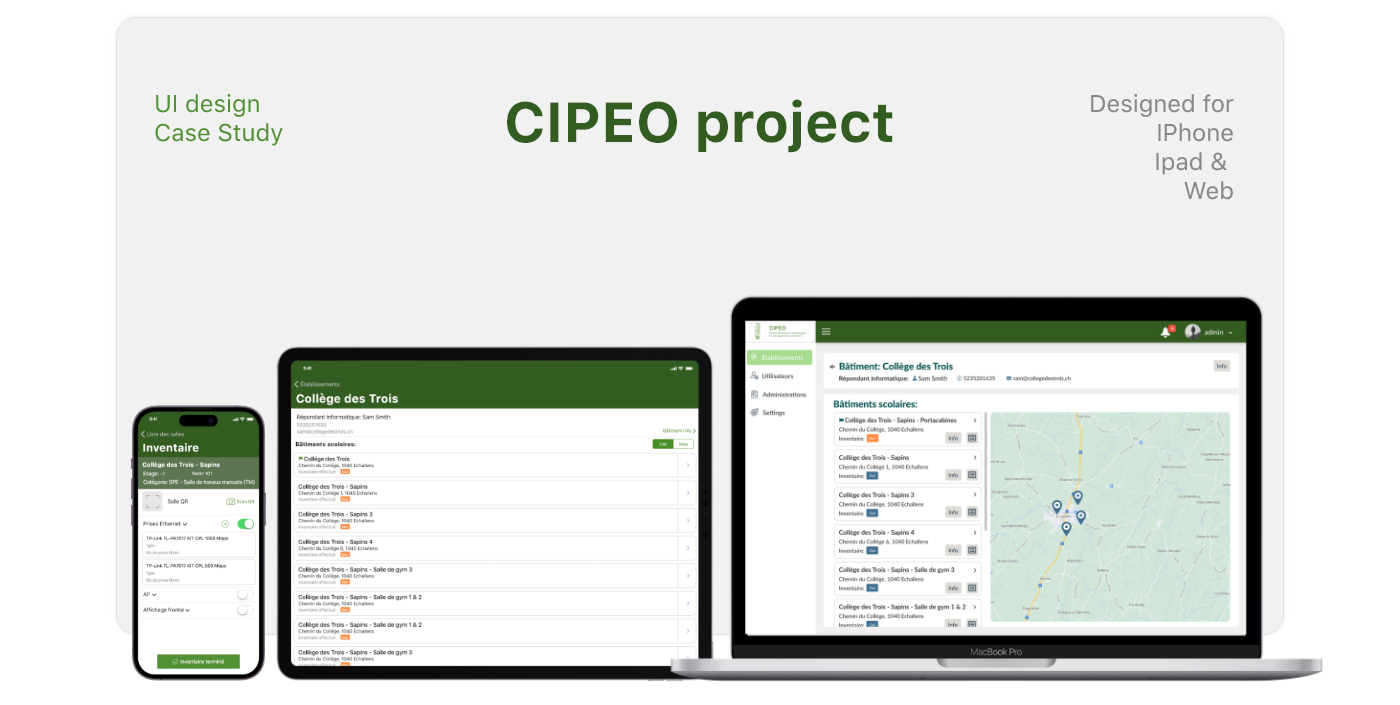
The platform was designed to support inventory management across public educational institutions. Built from scratch, the product includes iPhone, iPad, and web applications that enable schools and administrators to identify classrooms, register assets, and manage inventory data at scale.
Before, inventory processes were largely manual, time-consuming, and inconsistent across schools, making it difficult to maintain accurate records or scale operations efficiently. With more than 14,000 classrooms, CIPEO needed a way to uniquely identify each room using a QR code and create a detailed inventory of all equipment. The inventory had to be organized by category (e.g., display devices, linked devices, network equipment, etc.).
As part of a government initiative to improve visibility and control over educational assets, the institution needed a way to identify each room and track the materials assigned to it. The solution had to be robust, easy to adopt, and suitable for use by non-technical staff in real school environments.
My role
As a designer, I completed the entire design process, from initial research to final implementation. My key responsibilities were:
The process
The design approach focused on:
The final solution delivered was:
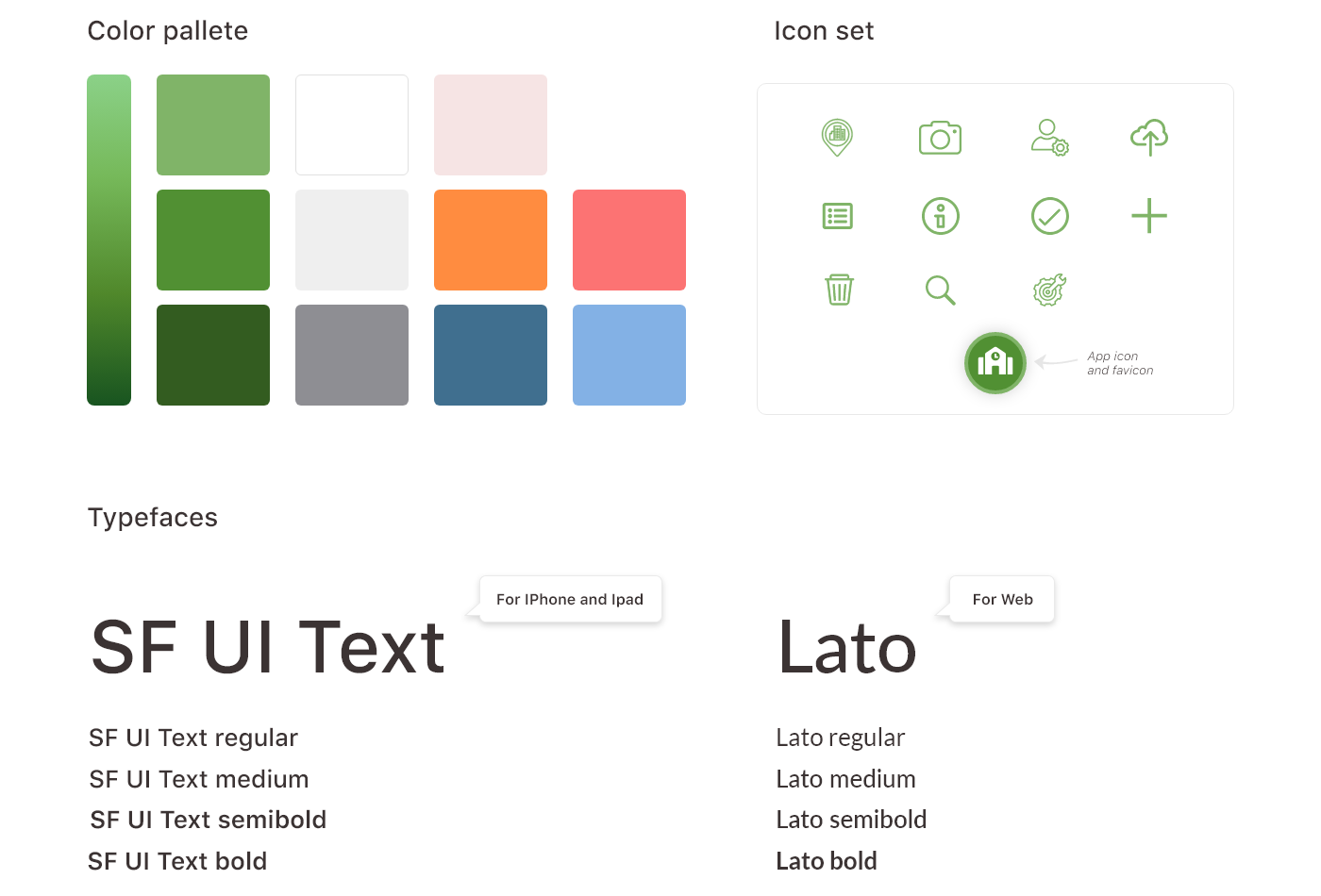
Visual design
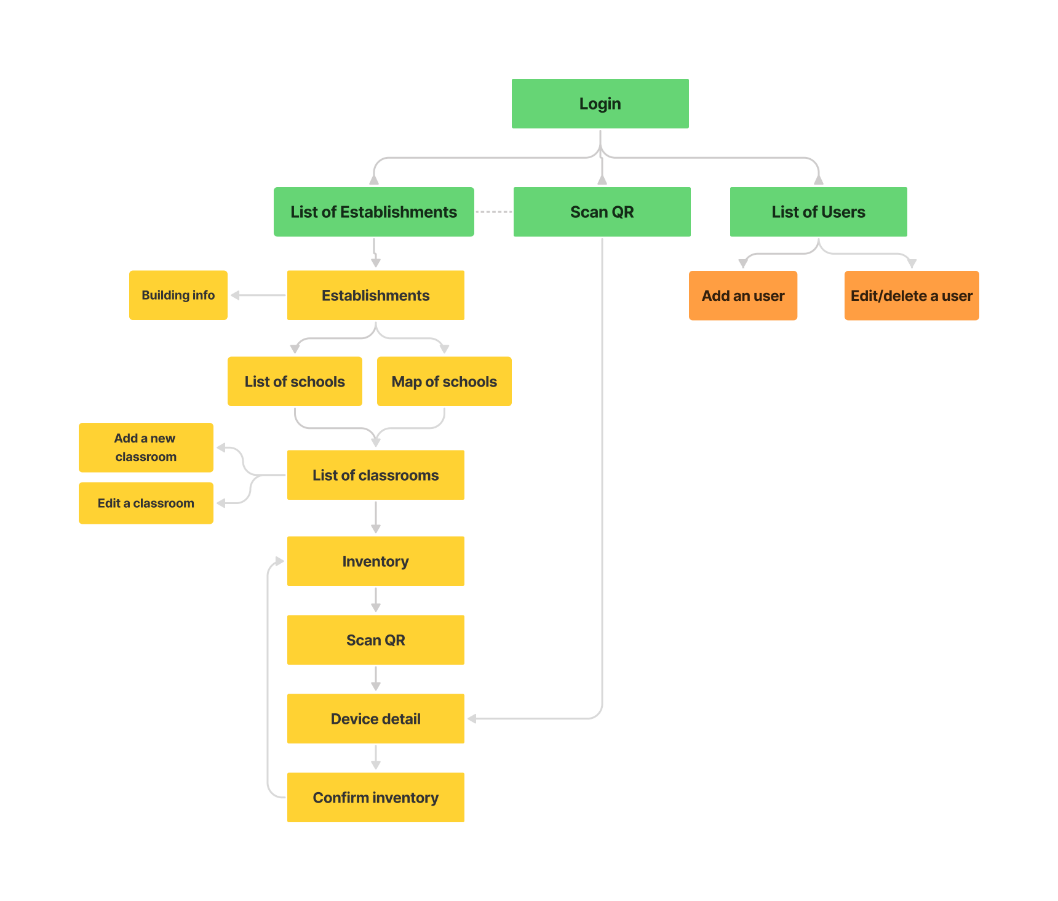
Architecture
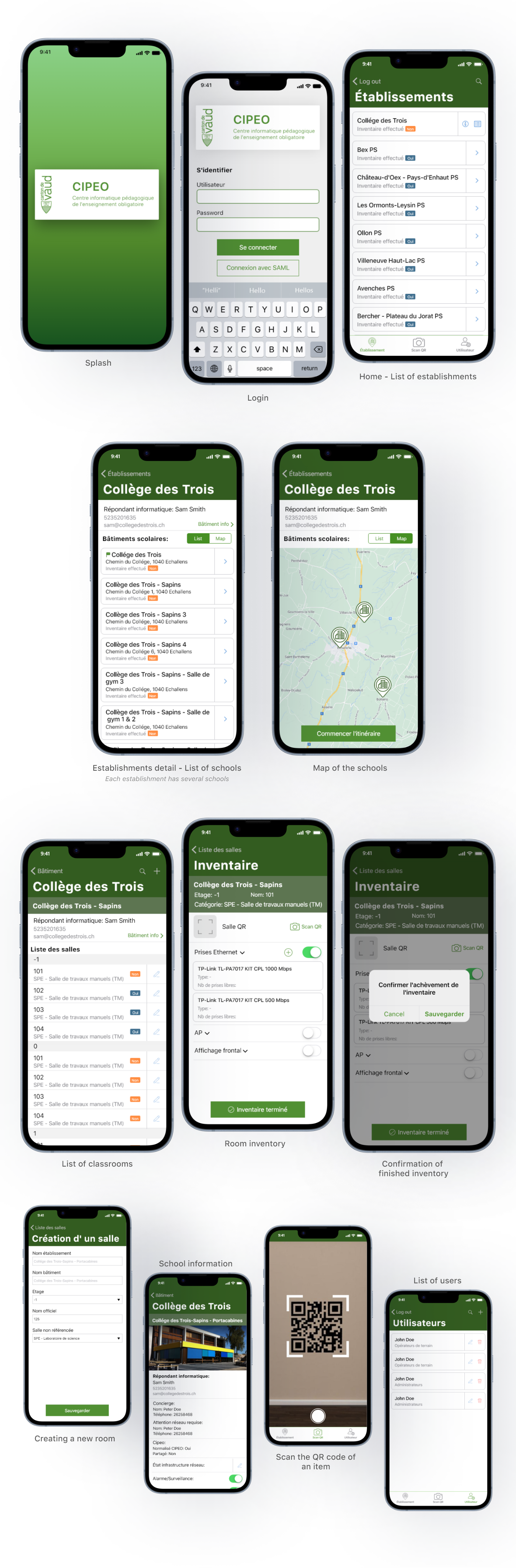
Mobile
The iPhone and iPad app was designed to be used by administrative staff responsible for logging educational materials at each school.
Tablet
Web
The web app, on the other hand, is used by CIPEO staff who are responsible for monitoring all stock, as well as keeping records up to date on information for each school and classroom, and active users in each school.
Results
The apps were successfully deployed and adopted at CIPEO and schools. The system enabled faster inventory processes. By digitizing and centralizing inventory management, the platform reduced manual effort and provided users with clearer visibility into educational assets at scale.
Platforms delivered: iPhone, iPad & Web
Improved data accuracy vs. paper process
Deployed across schools nationwide